Featured Articles

In today’s competitive world, one must be knowledgeable about the latest online bus...
Oct 12, 2018
Introduction
Do you want to learn about testing a WordPress site in various types of Browsers, but don’t know how to do it? If so, then you’re at the right place. After reading this post, you’ll be aware of the best cross-browser testing tools to test your site and how to do it.
As we all know, all web browsers are not created equally. Although most of the widely-used options are identical, they’re still different enough that they won’t precisely reveal your website. It is important, therefore, to test a website in different browsers. Performing cross-browser testing is necessary for all types of WordPress sites whether it is small or big. It is important to check your website design and themes in every browser so that its functionality doesn’t change when the browser is changed.
We all want our visitors to have a smooth experience, no matter which device or browser they’re using to explore your content. You just need to put a little time and effort to ensure that your site works well on all the browsers, operating systems, and mobile devices. But if you don’t have much time to invest in it, then you can also hire a dedicated team of QA engineers who have the ability to perform high-quality QA testing and provide reliable, scalable, and robust software solutions.
In this post, we’re going to learn how to test a WordPress site in different browsers. Before we move ahead, let’s know what exactly is cross-browser testing and why it is important. So without any further ado, let’s get started!
What is Cross Browser Testing and Why is it important?
Cross-browser testing refers to non-functional testing that involves comparing and analyzing whether your website works as intended when displayed on various browser-OS combinations such as Chrome, Safari, Firefox, etc. It ensures that your website is delivering the desired user experience that is not dependent on the usage of the browser.
Basically, it is a type of website testing performed to check whether the website functions correctly on the different screen sizes and overall major browsers. Because sometimes the website might work correctly on the Google Chrome browser and it won’t work well on Firefox. For this reason, it becomes essential for every tester to perform cross-browser testing and check the website functionality no matter where it is accessed.
We assume that now you’re aware of cross-browser testing and its importance. You’ll find several tools that will allow you to perform cross-browser testing if you’re planning to develop a WordPress site. So now let us know how to test your WordPress site in various web browsers:
Steps to Cross-Browser Test a Website
Step 1: Go to the Browsershots Window
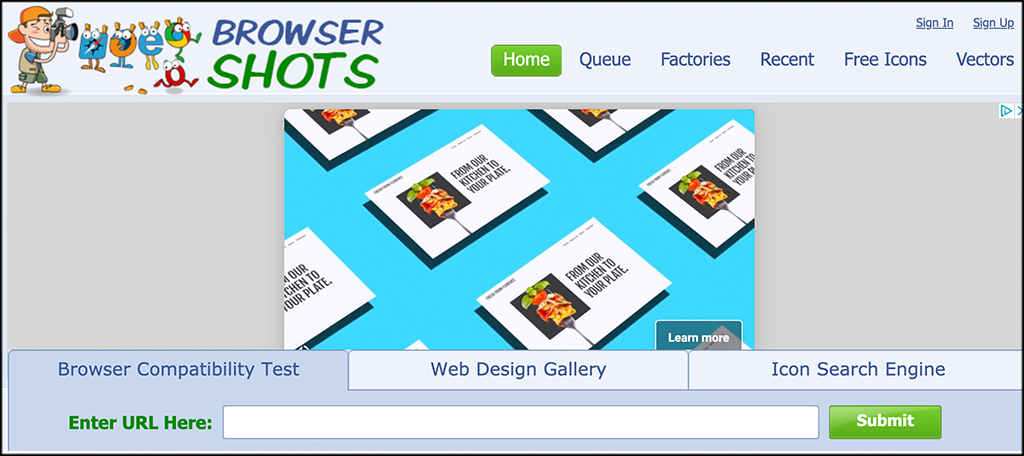
Looking at the BrowserShots website and viewing their main page, the look of it depends on when and what ads are currently running on it. However, something similar to this might pop up in front of you:
Step 2: Enter the related Website URL in the field
Moving on to the main page, you will find a field named “Enter URL here.” On that field, enter your URL and proceed further.

Step 3: Click on the submit button
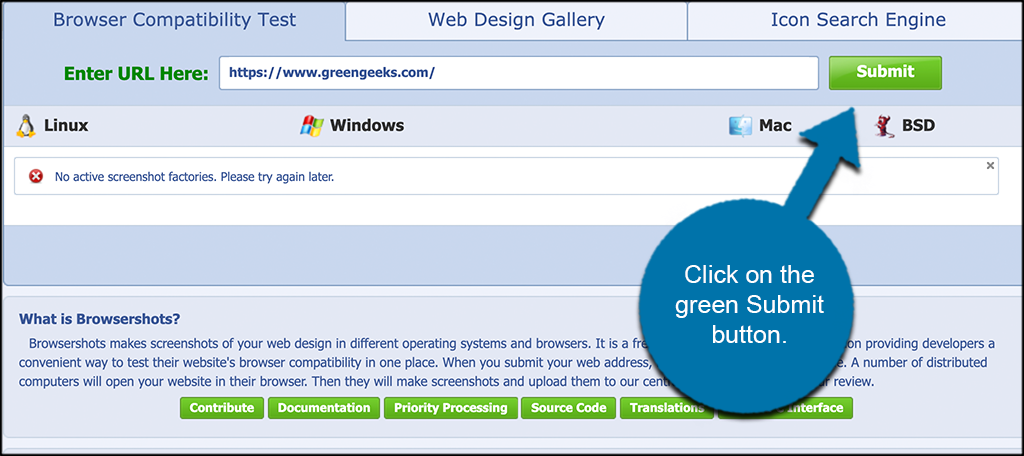
Once you have added the URL, moving further, just click on the submit button given on the right side of the URL field and you’re good to go.
Step 4: Review all screenshots
While submitting your URL link/s, you’ll have to wait for a few minutes while the test runs. When BrowserShots is done with the test running, they will give you several screenshots to have a look at. Now if you want to expand the screenshot, you just have to click on it and you’re ready to go.
Note: If you don’t know then let me tell you, BrowserShots will take a screenshot of your website to give you an idea of what your site looks like on different browsers.
Top 3 Cross Browser Testing Tools for WordPress
1. WordPress Theme Customizer
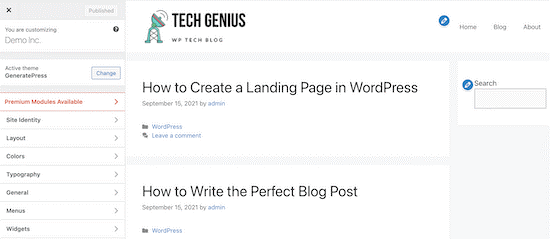
This is a great way to test your WordPress website as it has a built-in theme customizer that allows you to completely customize your website. After customizing your website, you can preview your modifications and live site in various screen sizes. You’ll also find a responsive view section of your customizer at the bottom which will allow your site on mobile, desktop, and tablet. You just have to choose the screen size and it will automatically adjust in the window.
2. Browsershots
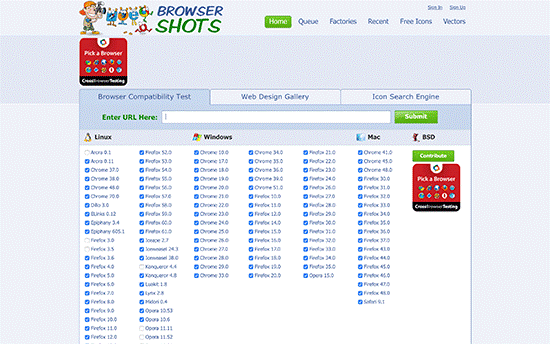
Lastly, we have Browsershots. It is an open-source cross-browser testing tool that allows you to test your site on various browsers. You’ll be surprised to know that it is a free tool. Yes, you heard it right! But the drawback is, that it doesn’t include Microsoft Edge or Internet Explorer and doesn’t support mobile devices as well. You only need to enter your website URL and choose a browser that you want to test and you’re all set to go.
After the submission of the request, you’ll have to wait for some time till it generates a screenshot. After that, you can expand the screenshot just by clicking on it.
3. CrossBrowserTesting

Are you planning to test your WordPress site using a comprehensive set of features? If so, then CrossBrowserTesting is a great platform to start. This tool provides you with several options, and one interesting thing is that it takes screenshots for you to have a look at it and compare. Not only this, but it also allows you to play around with the website functionality and test your site using real devices. It provides you with more than 2000 combinations of browser versions and screen resolutions as well.
Despite this, it is a great option for beginners as it is an easy-to-use and highly powerful tool having live testing and a feature of taking screenshots. It is not a free tool, but you’ll get a 7-day free trial with 100 automated and manual minutes of testing time. The cheapest plan can cost you around $30 per month and includes unlimited manual testing for a single user.
4. BrowserStack
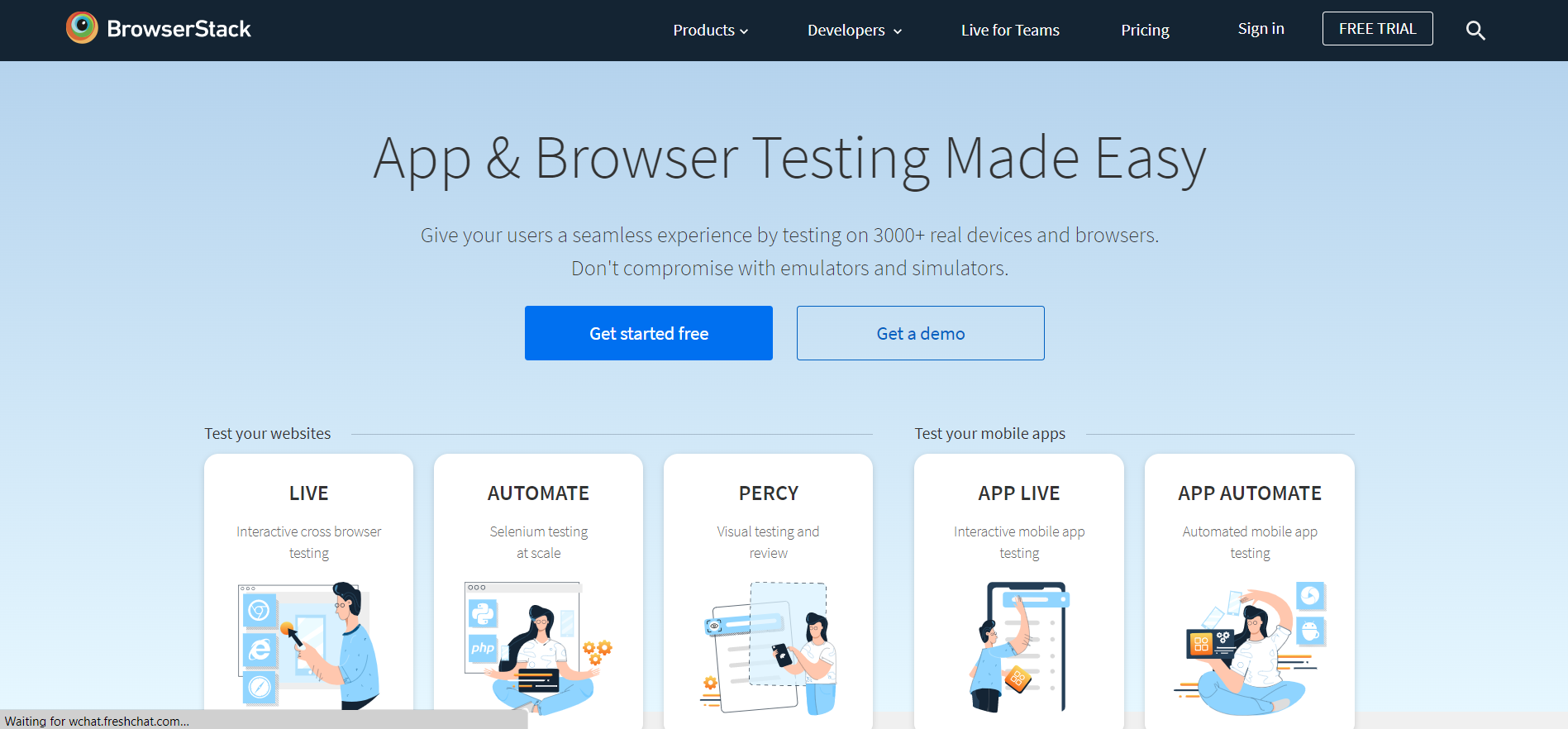
BrowserStack is also a paid cross-browser testing tool highly recommended by software testers to check their WordPress site effectively. However, it also gives you a free trial account in which you can take 5000 screenshots, perform 100 minutes of automated testing, and do 30 minutes of interactive browser testing. The features of screenshot and live testing are similar to that of the CrossBrowsingTesting tool where you can select a platform that you’re planning to test and then choose a browser for it.
BrowserStack is an excellent tool that will load the virtual emulator with an existing browser window and then start testing after you enter your URL to it. The outcome is accurate and the speed is satisfying. It supports both Windows and Mac.
Do you know when to perform cross-browser testing? No, let’s have a look:
When to perform cross-browser testing?
Cross-browser testing can be done based on your project workflow and the role such as:
- During the Development stage: Developers indulged in Continuous Integration channels to test the latest functionalities to ensure they’re cross-browser compatible before propelling the differences to production.
- In Staging/Pre-Release: The software testing teams perform this for every new Release so that no browser compatibility errors occur in the latest website version.
Conclusion
Website testing across various browsers is one of those tasks which cannot be overlooked by software testers. If you want to increase your audience and deliver an excellent user experience, you must ensure that your WordPress website proposes well in all of the popular browser options. Cross-browser testing is an easy task, just make sure you know where to start and how the process works. But if you think that these testing types are difficult to perform as a beginner, then you can also hire dedicated software testers who can help you out with the ongoing process.
Now we’ll consider that you can efficiently check your WordPress site on various browsers. Just make sure that your website is performing well and functioning correctly on all the browsers. And if not, you have enough information to make it done and which tool to use.
We hope you find this helpful. It would be great for us if you share this post on Facebook or Twitter to reach more audiences. Feel free to approach us in the comment section given below and ask your queries. We will get back to you soon.
Article source: https://article-realm.com/article/Health-Fitness/40524-How-to-Test-a-WordPress-Site-in-Different-Browsers-Cross-Browser-Testing-Made-Easy.html
URL
https://en.buradabiliyorum.com/how-to-test-a-wordpress-site-in-different-browsers-cross-browser-testing-made-easy/In this post, we’re going to learn how to test a WordPress site in different browsers. Before we move ahead, let’s know what exactly is cross-browser testing and why it is important. So without any further ado, let’s get started!
Comments
Reviews

Most Recent Articles
- Oct 24, 2026 Panchmukhi Air Ambulance in Ranchi is Bridging Long Distances in Healthcare by Panchmukhi Train Ambulance Services
- Oct 22, 2026 Medical Transport at Panchmukhi Air Ambulance in Guwahati is arranged with Critical Care Amenities by Panchmukhi Train Ambulance Services
- Oct 19, 2026 Massage at Home in Dubai: A Practical Guide to Booking with Confidence by Wellness Haven
- Oct 16, 2026 Faster Journey, Better Medical Coordination can be availed at Panchmukhi Air Ambulance in Patna by Panchmukhi Train Ambulance Services
- Oct 10, 2026 Panchmukhi Air Ambulance in Hyderabad – Your Journey, Our Medical Ability by Panchmukhi Train Ambulance Services
Most Viewed Articles
- 37366 hits Familiarize The Process Of SEO by Winalyn Gaspelos
- 9603 hits NBC Sports Gold Activate by Tatiana Garcia
- 5836 hits What is the most powerful JavaScript framework? by Luke Moore
- 3832 hits Get Solution of Hp Printer Offline Errors on Windows and Mac by shubhi gupta
- 3766 hits Fix “unlicensed product” activation error during Office setup by Sophia Williams
Popular Articles
In today’s competitive world, one must be knowledgeable about the latest online business that works effectively through seo services....
81609 Views

Walmart is being sued by a customer alleging racial discrimination. The customer who has filed a lawsuit against the retailer claims that it...
64075 Views
Are you caught in between seo companies introduced by a friend, researched by you, or advertised by a particular site? If that is...
37366 Views

Facebook, the best and most used social app in the world, has all the social features you need. However, one feature is missing. You cannot chat...
23647 Views
If you have an idea for a new product, you can start by performing a patent search. This will help you decide whether your idea could become the...
14903 Views

Moving becomes easy when you have the right moving accessories. These moving accessories help secure and protect your item by ensuring that no harm...
13273 Views

A lot of us look forward to the result of moving and not the process itself. It is pretty typical behavior, though. As modern people, many things...
13231 Views

Building a custom home is an exciting adventure. It’s your chance to bring your vision to life and create an area that sincerely displays...
12969 Views

Moving from one state, city, or even to a whole different county, is something that is either dictated by choice or circumstance. This is because,...
12091 Views

The report is titled as ‘Recombinant Cell Culture Supplements Market: Opportunity Analysis and Future Assessment 2022-2030’. An...
11874 Views
Statistics
| Members | |
|---|---|
| Members: | 17229 |
| Publishing | |
|---|---|
| Articles: | 79,853 |
| Categories: | 202 |
| Online | |
|---|---|
| Active Users: | 1933 |
| Members: | 11 |
| Guests: | 1922 |
| Bots: | 17145 |
| Visits last 24h (live): | 5690 |
| Visits last 24h (bots): | 60792 |


