Featured Articles

Boost Your Website Traffic with High Quality DA/PA 40+ Backlinks
Apr 7, 2023

In today’s competitive world, one must be knowledgeable about the latest online bus...
Oct 12, 2018
Almost every endeavor’s success starts from an informative website, so it isn’t strange that many users today feel a need to administrate a number of them at a time. The reasons for creating multiple sites instead of one may vary: websites can have similar purposes, but different brands; they can have completely different purposes but belong to one department, company or corporation. It isn’t a rare case for a business to provide website hosting to clients either.
Table of Contents
How to manage them all?
Separate management of each website doesn’t sound like a good idea at all and wouldn’t get any nicer in reality. Constant logging in and out is inevitable, as well as manual uploading and updating of plugins and components on each content management system. When you’re in charge of a whole network of sites, the best option is obviously to unite them all in a network and bring under one virtual roof. Practically all the existing CMSs out there support this feature. But each in its own way.
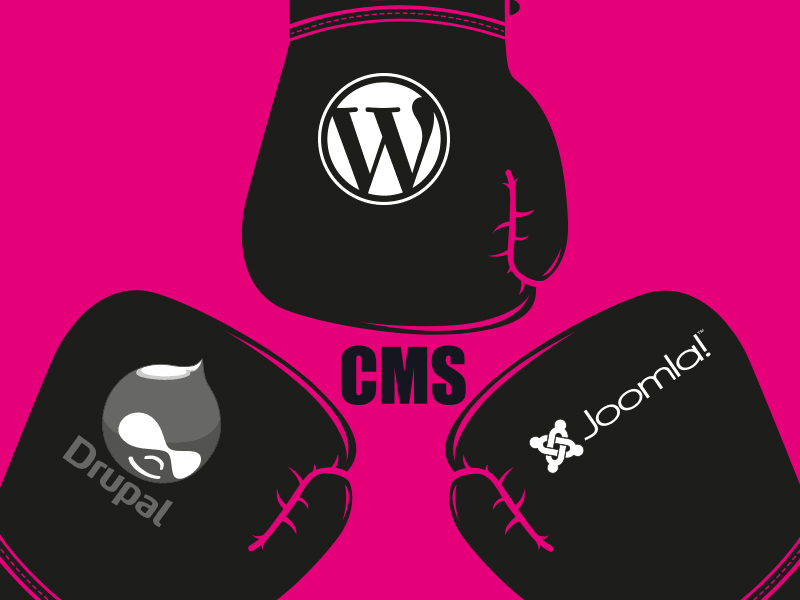
The biggest difference in implementation of a multiple sites with the help of single CMS is the extent to which content can be shared between multiple sites, i.e. it all comes down to the degree of website independence. Sites with a single database cannot but have a shared content where as in order to reuse digital assets on sites with separate databases you’ll have to transfer data over the network willfully. The fact that despite such a contrast the feature is only generally referred to as “multisite” is more than confusing and administrators have to make a careful study before deciding which CMS will actually meet their needs.
We figured we’ll make it for you and write a quick overview based on our experience with the top 3 content management systems.
One more thing before we start
All CMS’s ScienceSoft works with provide a possibility to create a number of domains or sites with shared content while capability to create and manage completely independent websites with different databases is not that ubiquitous. Therefore, when analyzing what CMS’s can offer us we will be focusing on the latter.
WordPress

Since WordPress.com itself hosts almost 40 million of independent sites they sure wanted to share the great possibilities with its users. Installation of a WordPress Multisite feature and creation of a Network of WordPress Sites is easily triggered from the Administration Panel. The process naturally involves some code configurations of core files, but the installers give precise directions and won’t let you get lost.
In the result, WordPress Multisite allows you to manage multiple sites on a single WordPress platform. Not just “several” – they state that the number of sites can be as big as you want it to be. This creates a really good opportunity for any hosting-provider: offering separate databases for totally independent websites while having Super Administrator’s rights to the whole Network is easy with WordPress.
User Management in WordPress Multisite looks and works exactly the same as it does in usual WordPress, except you can conveniently see a certain site assigned to the user in the list and know where any of the users has been registered.
Drupal

Drupal also cares about the necessity to administrate multiple sites at a time and presents a multisite management feature. It can’t be ignored that Drupal itself is one of the most elaborate content management systems and its process of enabling the multisite feature is a little more intricate than that of WordPress. But after you’re done, it will provide you with a single core code, theme-pack and installed components for websites with separate databases, different designs and content. Moreover, as a Super Administrator you will have an access to all existing databases, content and whole network’s users list – so that you could share, transfer and migrate them as you wish.
However, even though Drupal allows management of independent sites, developers warn their users against using multisite for websites with completely different functionality. Otherwise, as they say, you’ll face lots of inconveniences with updates and backups, since if you use completely different components on each site you will have to test each site independently.
Joomla

For quite a long time Joomla only supported management of different websites that shared content and databases. Desperate website administrators did found code loopholes and suggested a number of ways to make websites independent, but not everybody is ready to gamble their luck and follow a non-official manual when they have time and money at stake.
Joomla developers have probably seen this through and today, in order to create separate websites on one Joomla you should buy and install their core enhancement – “Multi Sites”. Joomla Multi Sites gives you a choice to use one, two (Master and Slave) or as many databases as you want to use. Although being a paid download extension type, developers of Joomla Multi Sites explicitly state that with this enhancement administrators will be able not only to assign different content and configurations to each site, but also will have a possibility to share extensions, files, folders and manage users’ networks across multiple sites.
Summary
We’ve taken a look only at 3 CMSs that are open-source and have already become household names in web-development. It is natural for them to implement Multisite feature and enhance their functionality of independent websites administration, since many other content managing systems like EPiServer, ProcessWire and Sitefinity officially support this feature and may get the wind of them on the CMS market . Customer’s choice does, after all, depend not on whether the CMS is open-source, but on its actual ability to upgrade and change in accordance to users’ newly appearing requirements.
Source: https://techtechnik.com/taming-multiple-sites-with-the-help-of-single-cms/
Article source: https://article-realm.com/article/Health-Fitness/42021-Taming-multiple-sites-with-the-help-of-single-CMS.html
Comments
Reviews

Most Recent Articles
- Oct 19, 2026 Massage at Home in Dubai: A Practical Guide to Booking with Confidence by Wellness Haven
- Oct 16, 2026 Faster Journey, Better Medical Coordination can be availed at Panchmukhi Air Ambulance in Patna by Panchmukhi Train Ambulance Services
- Oct 10, 2026 Panchmukhi Air Ambulance in Hyderabad – Your Journey, Our Medical Ability by Panchmukhi Train Ambulance Services
- Oct 9, 2026 Choose the Exceptionally Designed Panchmukhi Air Ambulance in Patna for Medical Transfer by Panchmukhi Train Ambulance Services
- Oct 9, 2026 Brain Pacemaker for Parkinsons’: Contact the Top DBS Surgeon in Kolkata, India by Andy
Most Viewed Articles
- 37342 hits Familiarize The Process Of SEO by Winalyn Gaspelos
- 9585 hits NBC Sports Gold Activate by Tatiana Garcia
- 5737 hits What is the most powerful JavaScript framework? by Luke Moore
- 3812 hits Get Solution of Hp Printer Offline Errors on Windows and Mac by shubhi gupta
- 3756 hits Fix “unlicensed product” activation error during Office setup by Sophia Williams
Popular Articles
In today’s competitive world, one must be knowledgeable about the latest online business that works effectively through seo services....
81572 Views

Walmart is being sued by a customer alleging racial discrimination. The customer who has filed a lawsuit against the retailer claims that it...
63884 Views
Are you caught in between seo companies introduced by a friend, researched by you, or advertised by a particular site? If that is...
37342 Views

Facebook, the best and most used social app in the world, has all the social features you need. However, one feature is missing. You cannot chat...
23623 Views
If you have an idea for a new product, you can start by performing a patent search. This will help you decide whether your idea could become the...
14879 Views

Moving becomes easy when you have the right moving accessories. These moving accessories help secure and protect your item by ensuring that no harm...
13254 Views

A lot of us look forward to the result of moving and not the process itself. It is pretty typical behavior, though. As modern people, many things...
13198 Views

Building a custom home is an exciting adventure. It’s your chance to bring your vision to life and create an area that sincerely displays...
12944 Views

Moving from one state, city, or even to a whole different county, is something that is either dictated by choice or circumstance. This is because,...
12067 Views

The report is titled as ‘Recombinant Cell Culture Supplements Market: Opportunity Analysis and Future Assessment 2022-2030’. An...
11597 Views
Statistics
| Members | |
|---|---|
| Members: | 17198 |
| Publishing | |
|---|---|
| Articles: | 79,778 |
| Categories: | 202 |
| Online | |
|---|---|
| Active Users: | 180 |
| Members: | 0 |
| Guests: | 180 |
| Bots: | 1412 |
| Visits last 24h (live): | 4787 |
| Visits last 24h (bots): | 36239 |

