Featured Articles

In today’s competitive world, one must be knowledgeable about the latest online bus...
Oct 12, 2018


Scriptzol Multi vendor Marketplace extension turns your current Magento 2 store into a full-fledged online marketplace with varied vendors. It will be best for the vendors who are looking for new methods to grow their business. The settings can be easily adopted by the admin. Product listings, orders, shipment, profile page can all be easily managed by the vendors.
Features
Admin
- Seperate Landing Page
- Landing Page title, banner Customization
- Option for Admin to approve customer as vendor
- Option for Admin to approve product
- Option for Admin to add Vendor commission
- Email template customization for admin
- Option for Admin to allow vendor to rewrite shop url
- SEO friendly for vendors shop
- Allow Admin to approve customer order
Vendor
- Dashboard for vendor
- Profile for vendor to set the information
- Products Listing for Vendor
- Transaction Listing for Vendor
- Payment Information for Vendor
- Earnings Report for Vendor
- Order History for Vendor
- Purchased Customer List for Vendor
- php bin/magento setup:upgrade
- php bin/magento setup:di:compile
- php bin/magento setup:static-content:deploy
Installation Steps
Buyers will get a Zip file, they have to unzip / extract the file to their system. The uncompressed folder will have a folder called Scriptzol and you need to transfer the Scriptzol folder to your Magento 2 root directory /app/code/.
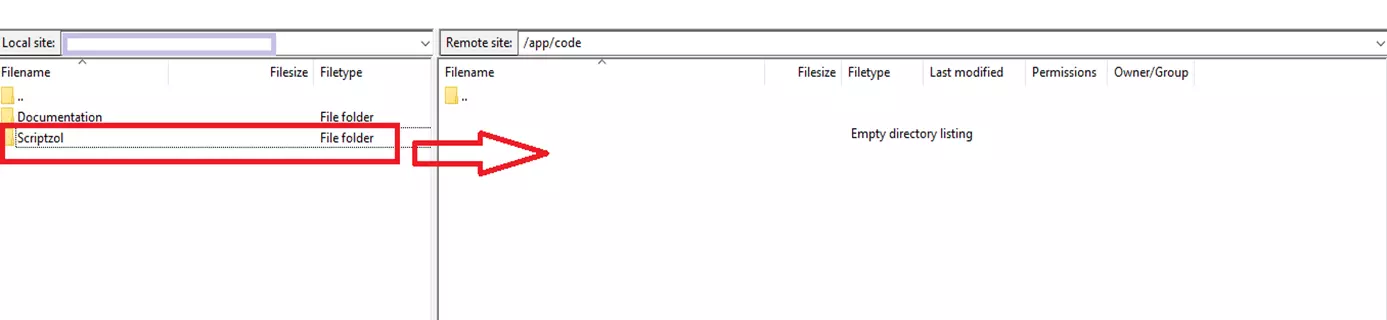
After the successful transfer, buyers have to run the following commands in the Magento 2 root directory with the help of terminal.
After the commands running successfully, need to flush the cache in admin panel.
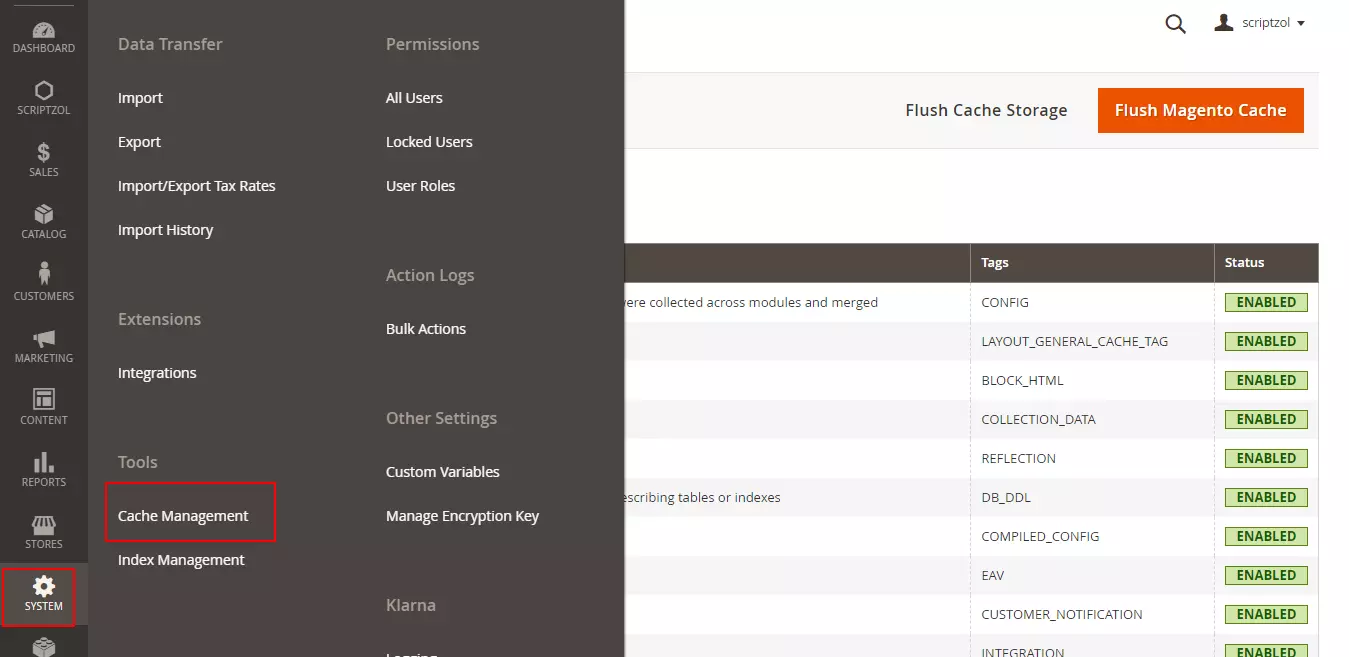
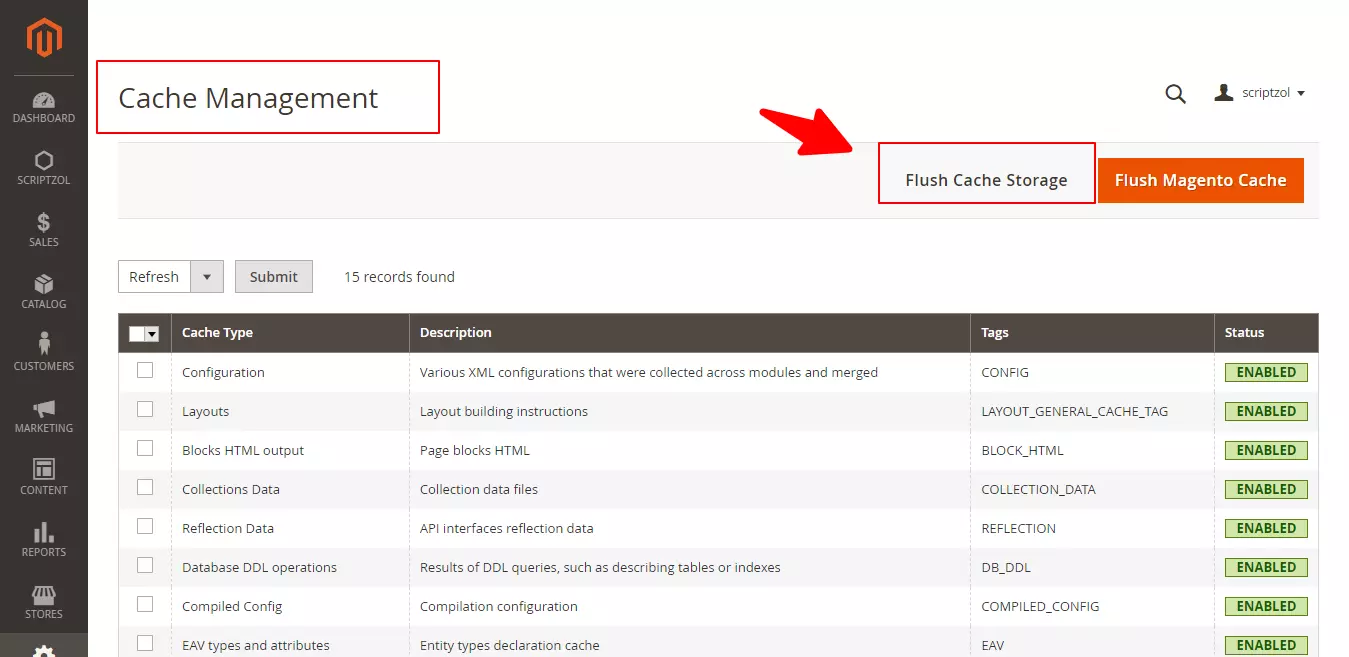
Installation steps done.
Configuration Steps
Multiple Languages
To configure in multiple languages, Under Store > Configuration > General > Locale in admin panel, select the language which needed.
Translation Of Languages
For translation of the content in the module, In the app/code/Scriptzol/Marketplace/i18n” folder, need to add the file. To add a file for specific language, for eg.arabic for Saudi Arabia, ar_SA.csv is the file name format.
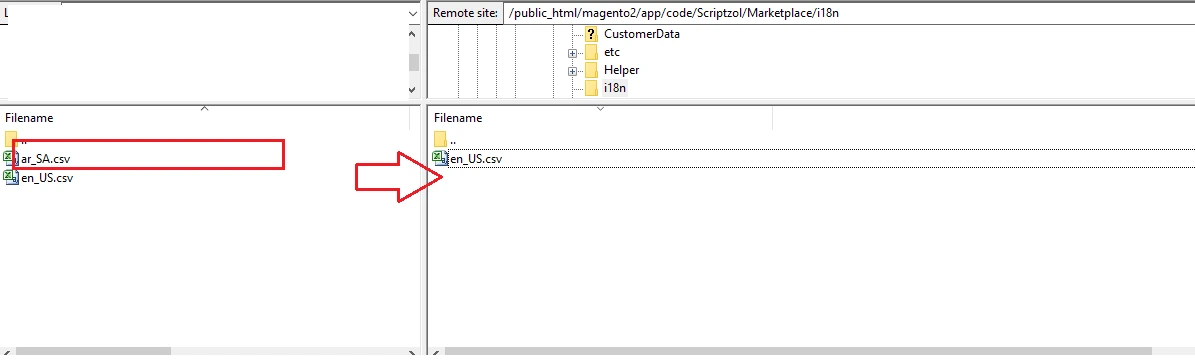
The file content should be like the below screenshot.
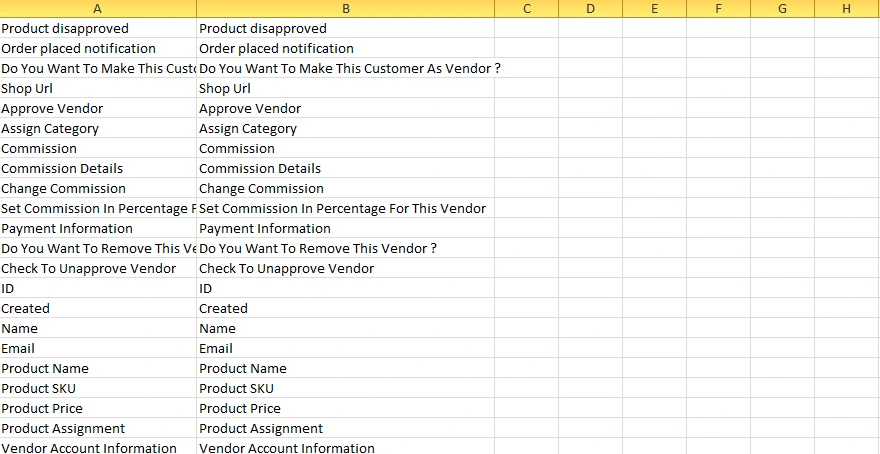
Left side of the column is the original content, right side contains translations.
The file content should be like the below screenshot.

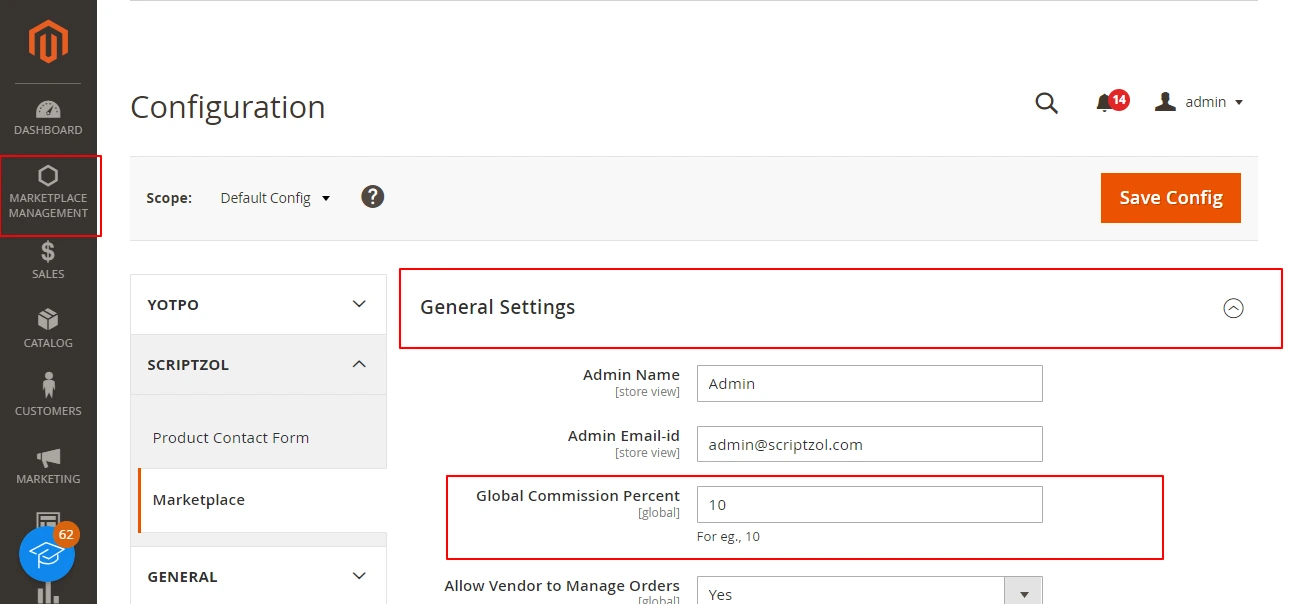
General Configuration
The general configuration is used to set sender name, sender email and commission of the order invoice amount.
Marketplace Landing Page Configuration
This configuration is used to set banner title, banner image, page title and features for the marketplace landing page.

Vendor Profile Configuration
The vendor profile configuration is used to set configuration of vendor to whether approval needed or not.

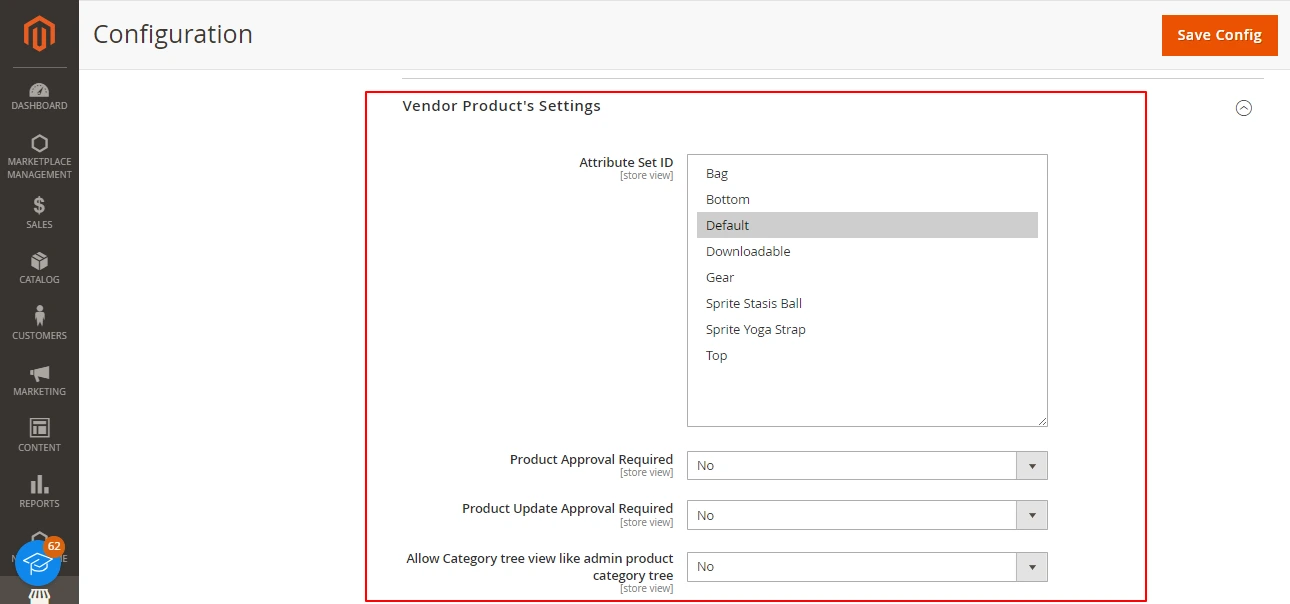
Marketplace Product Approval Configuration
Configuration of necessity of product add approval, update approval will be done here.
Vendor Shop Sitemap Configuration
This is to configure the setting for vendor shop products to be added in sitemap or not.

Marketplace Manage Vendors
The seperate page for managing vendors is present. Here the admin can approve or disapprove the vendor.

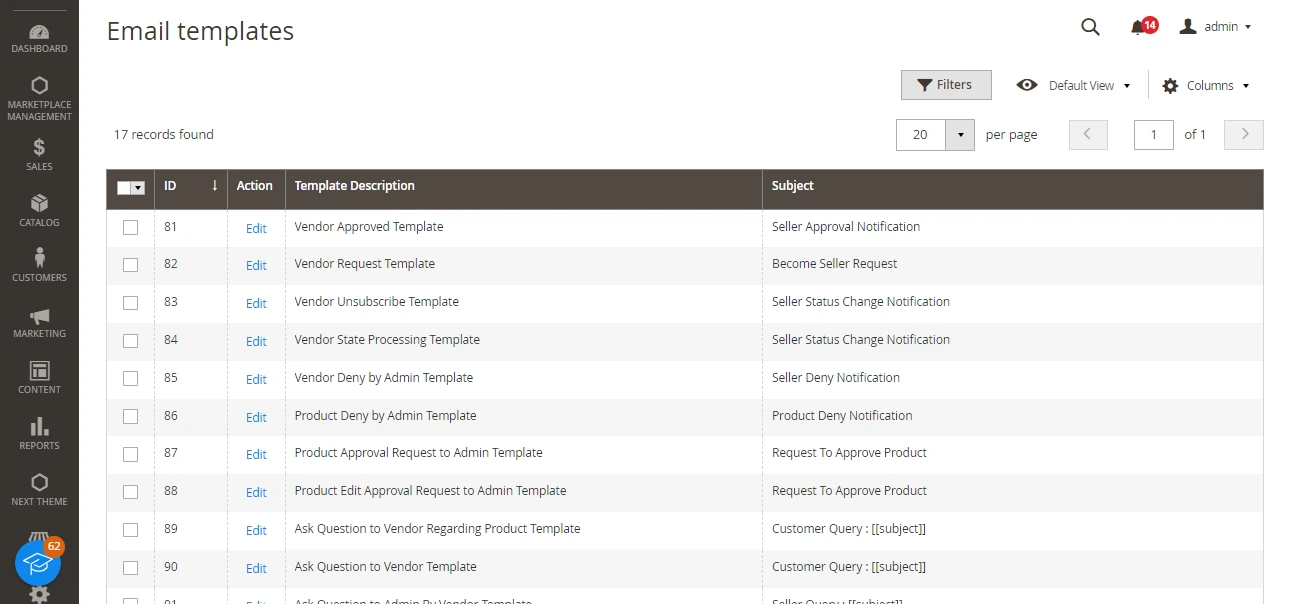
Marketplace Manage Email Templates
Email templates for the transaction, product approval, vendor approval can be easily customized under this section.
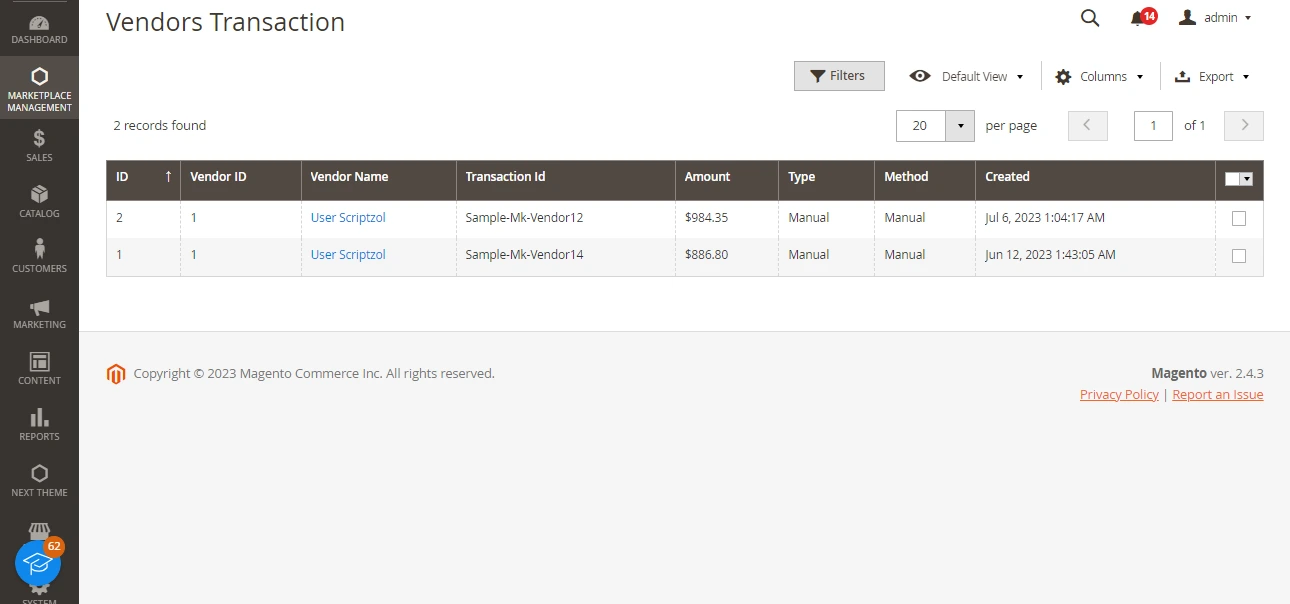
Marketplace Order Transactions
The transactions done for the vendor will be looked under this section.
Vendor
Marketplace Vendor Dashboard
Vendor will have a seperate dashboard to look up for the order details, total sales and recent orders.

Marketplace Vendor Shop Page
According to the url provided by each vendor, there will be a shop page for each vendor.

Marketplace Vendor Profile
Vendor can edit their profile details such as title, logo, banner, seo details, address details under here.

Marketplace Vendor Product Maintenance
Vendor can maintain their products such as adding product, editing and deleting.

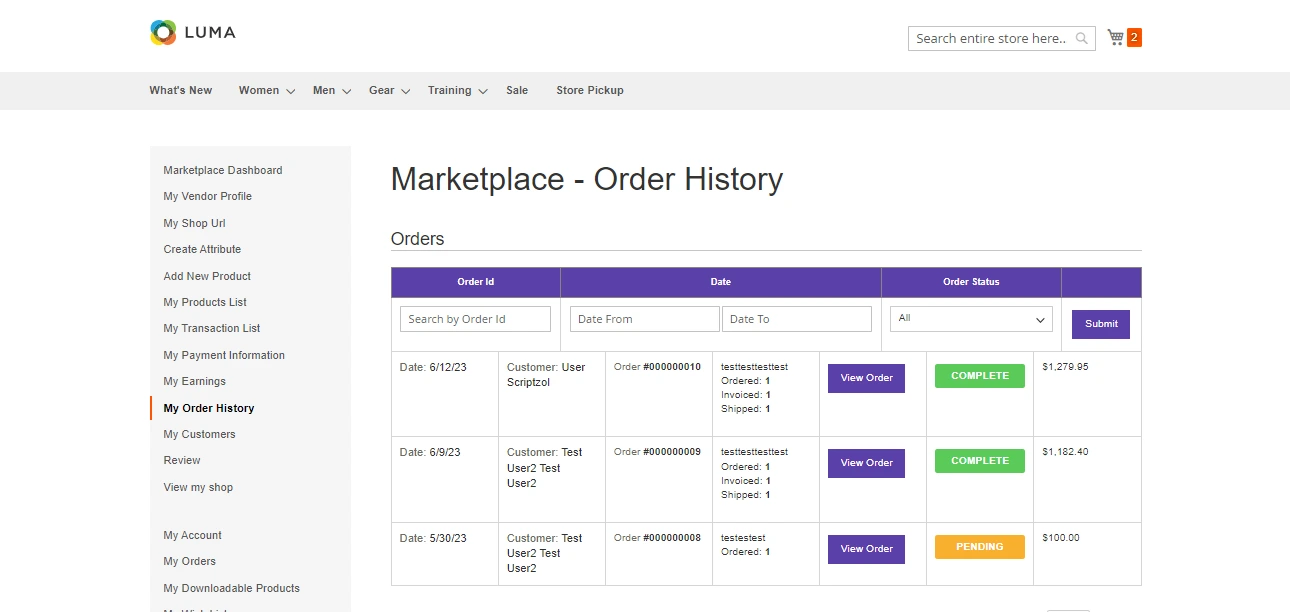
Marketplace Vendor Order History
The order history will be shown under the order history sections.
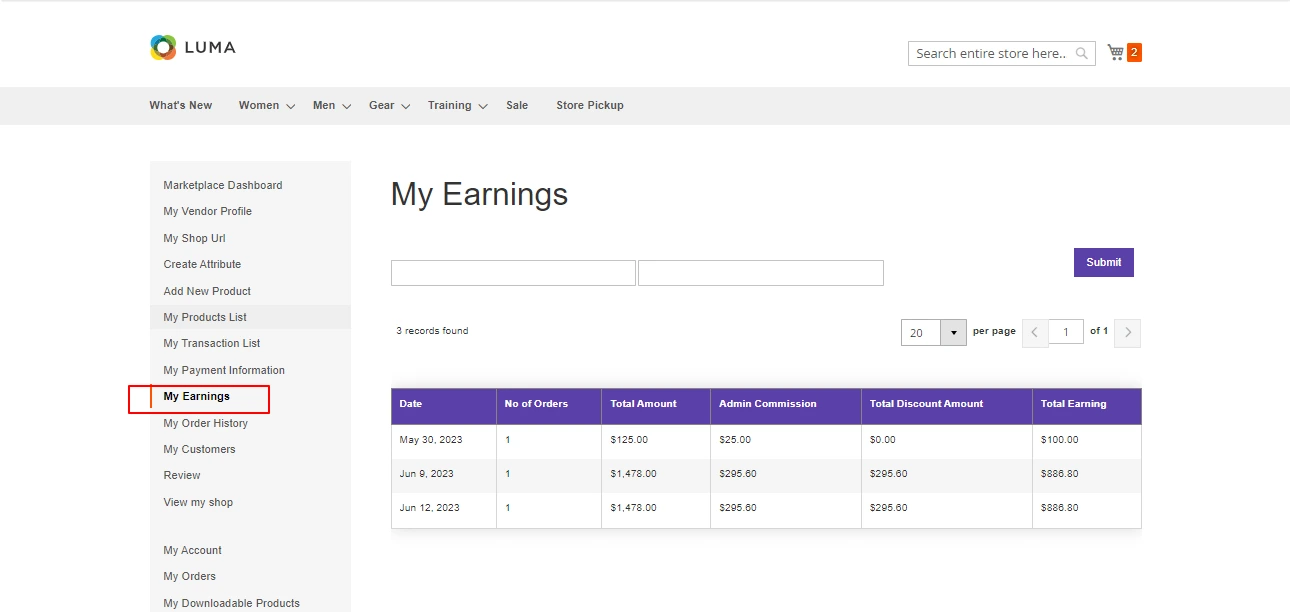
Marketplace Vendor Earnings
Vendor can look their earnings and admin commissions under my earnings tab.
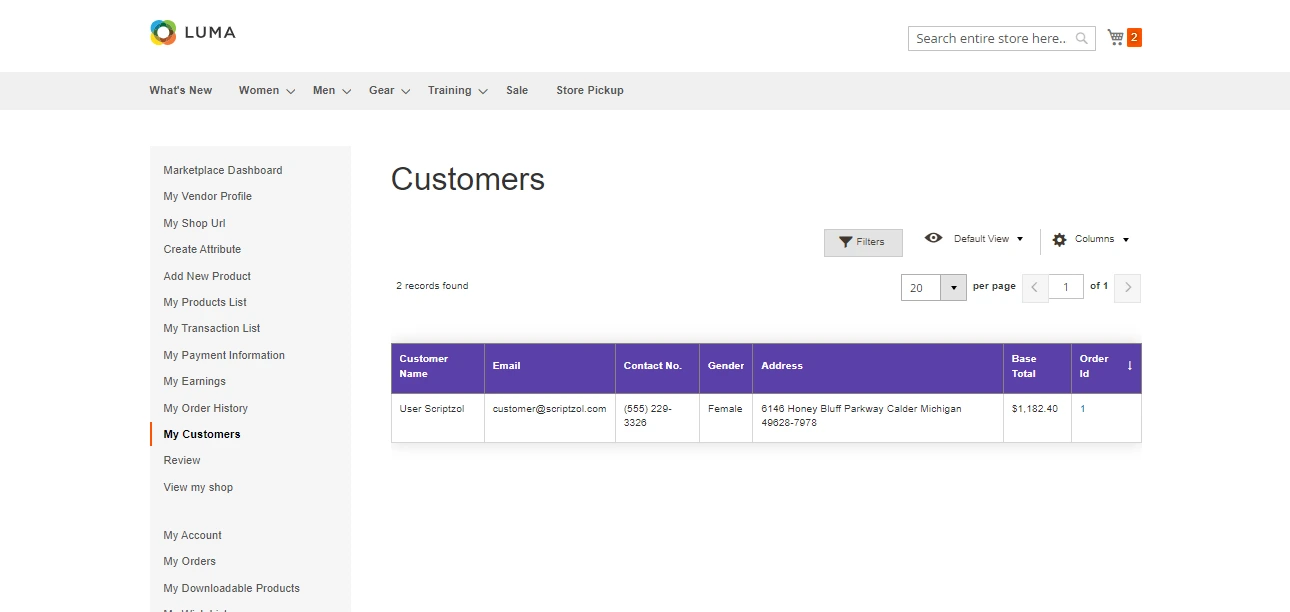
Marketplace Vendor Customer List
Vendor can look their customers under my customers section.
Marketplace Vendor Payment Information
Vendor can update their payment information under this tab.

We hope this guide helped for configuration successfully. Please feel free to contact us.
Email: support@scriptzol.com / sales@scriptzol.com
Contact Us: Contact Support Team
License: License Agreement
Learn how to install & configure Multi vendor Marketplace step-by-step – https://www.scriptzol.com/blog/magento-2-multi-vendor-marketplace
Tags: how to install magento 2 extension, how to install magento 2 multi vendor marketplace, how to setup magento 2 multi vendor marketplace, magento 2 multi vendor marketplace extension user guide
Article source: https://article-realm.com/article/Internet-Business/Blogging/49286-Magento-2-Multi-Vendor-Marketplace-User-Guide-Scriptzol.html
Comments
Reviews

Most Recent Articles
- Jun 9, 2026 Flow Diverters Market Share Analysis Highlights Emerging Opportunities in Neurointerventional Care by Straits Research
- May 19, 2026 Test Strip Market Size, Share, Growth Analysis, and Forecast Report 2033 by Straits Research
- May 18, 2026 Hyperkalemia Drugs Market Forecast to 2034: Share, Demand and Analysis by Straits Research
- Oct 15, 2025 Exploring Martech Trends via Guest Blogs by martech cubejohn
- Sep 24, 2024 ️Home Remodeling Market Size will reach USD 1,315.74 Billion by 2031 from USD 956.06 Billion by Abhishek Singh
Most Viewed Articles
- 1309 hits Important Information Aussiedoodle Dog Breed by alaskan kleekai
- 1239 hits Perfect Diet For Small Pets: Feeding Right! by .com
- 1206 hits Losing a Pet Is Devastating and It’s OK to Not Feel Mentally Well for a While by nisse lind
- 1167 hits Top Benefits of Sending Your Dog To Dog Daycare San Marcos by Guest
- 931 hits Got a Cranky Dog? Know the Reasons to Deal with the Behavioral Issues by Miranda Alcott
Popular Articles
In today’s competitive world, one must be knowledgeable about the latest online business that works effectively through seo services....
81602 Views

Walmart is being sued by a customer alleging racial discrimination. The customer who has filed a lawsuit against the retailer claims that it...
64067 Views
Are you caught in between seo companies introduced by a friend, researched by you, or advertised by a particular site? If that is...
37360 Views

Facebook, the best and most used social app in the world, has all the social features you need. However, one feature is missing. You cannot chat...
23642 Views
If you have an idea for a new product, you can start by performing a patent search. This will help you decide whether your idea could become the...
14897 Views

Moving becomes easy when you have the right moving accessories. These moving accessories help secure and protect your item by ensuring that no harm...
13268 Views

A lot of us look forward to the result of moving and not the process itself. It is pretty typical behavior, though. As modern people, many things...
13219 Views

Building a custom home is an exciting adventure. It’s your chance to bring your vision to life and create an area that sincerely displays...
12961 Views

Moving from one state, city, or even to a whole different county, is something that is either dictated by choice or circumstance. This is because,...
12085 Views

The report is titled as ‘Recombinant Cell Culture Supplements Market: Opportunity Analysis and Future Assessment 2022-2030’. An...
11868 Views
Statistics
| Members | |
|---|---|
| Members: | 17225 |
| Publishing | |
|---|---|
| Articles: | 79,837 |
| Categories: | 202 |
| Online | |
|---|---|
| Active Users: | 3200 |
| Members: | 2 |
| Guests: | 3198 |
| Bots: | 25104 |
| Visits last 24h (live): | 5947 |
| Visits last 24h (bots): | 47330 |


